Understanding Vector Art: A Deep Guide to Modern Digital Graphics
Vector art plays a powerful role in today’s digital-first creative world. From brand logos to product packaging, social media graphics, and large-format printing, clean and scalable artwork has become essential for businesses and designers. In a time when visual quality defines how people perceive a brand, understanding how vector-based graphics work—and how they shape modern design—has become crucial for professionals across all creative fields.
This guide simplifies everything in a clear and practical way, explaining how vector graphics function and where they’re used in real projects. The goal is to make the topic easy to understand with simple examples and insights that anyone can follow.
What Is Vector Art?
Vector art refers to digital graphics created from mathematical paths, not pixels. Every curve, shape, and line is defined by coordinates and formulas. This allows the artwork to scale up or down without ever becoming blurry or distorted.
Unlike raster images—such as JPGs or PNGs—that can pixelate when enlarged, vector graphics stay sharp at any size. This makes them the preferred choice for logos, icons, illustrations, and any artwork that needs to look crisp across digital and printed materials.
Most professional branding systems rely on vector formats because they maintain visual accuracy, regardless of where the artwork is used.
Why Vector Graphics Matter More Than Ever
Today’s brands operate across multiple platforms—mobile screens, websites, packaging, advertisements, and physical products. With so many different formats, artwork must perform well at all sizes and resolutions. Vector graphics make that possible.
1. Perfect for Brand Identity
Logos, icons, and brand elements must remain sharp whether they are printed small or displayed on large signage. Vector files ensure consistent quality across all surfaces.
2. Essential for Print Production
Printing requires artwork that can scale without distortion. Vectors offer clean edges, accurate colors, and reliable results.
3. Ideal for Embroidery and Apparel Production
Embroidery machines read outlines, so vector artwork helps digitizers create precise stitch paths.
4. Supports Modern Creative Workflows
Web graphics, product mockups, packaging, and illustrations rely heavily on vector accuracy and flexibility.
Vector graphics have become a key part of nearly every creative industry because they save time, improve quality, and ensure professional results.
How Vector Art Works: A Simple Explanation
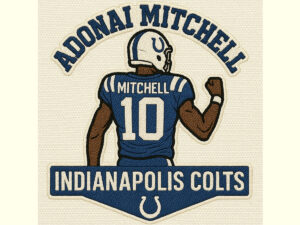
Vector graphics are built from basic geometric elements:
-
Anchor Points — Positions that define where a line starts, ends, or curves.
-
Paths — Straight or curved lines connecting anchor points.
-
Curves — Smooth bends created with adjustable handles.
-
Shapes — Closed paths that form objects like icons, badges, or logos.
-
Strokes and Fills — Outlines and interior colors that add thickness, style, and detail.
Because these elements are defined mathematically, vector artwork can be resized infinitely without losing quality. Designers can also edit shapes, colors, and lines without damaging the integrity of the artwork.
Vector Art vs Raster Images
Understanding the difference between vector and raster graphics helps clarify why each is used for different purposes.
Vector Graphics
-
Built from mathematical formulas
-
Scale without pixelation
-
Small file sizes
-
Easy to edit cleanly
-
Best for logos, lettering, illustrations, icons
Raster Images
-
Made from pixels
-
Become blurry when enlarged
-
Larger file sizes
-
Harder to modify with precision
-
Best for photos and detailed textures
Which Should You Use?
Use vector graphics for branding, icons, typography, and artwork requiring sharp lines. Use raster images for photos or complex textures.
Popular Tools for Creating Vector Artwork
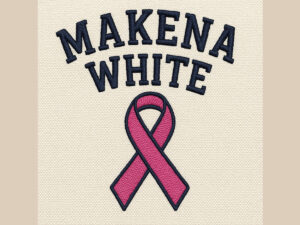
Designers use dedicated software to create and edit vector graphics. The most common tools include:
Adobe Illustrator
The industry standard for high-quality vector design, ideal for branding and print production.
CorelDRAW
A preferred choice in the apparel, signage, printing, and manufacturing industries thanks to its powerful layout tools.
Affinity Designer
A modern, affordable option for professional vector creation.
Inkscape
A free, open-source tool suitable for beginners learning vector design.
Each program offers different features but follows the same core principles of vector creation.
Where Vector Art Is Used in the Real World
Vector graphics appear everywhere, often in ways people don’t notice. Because they are so flexible, they serve a wide range of industries.
Branding and Identity Design
Logos, brand marks, and typography layouts all require vector precision.
Marketing and Advertising
Flyers, posters, business cards, social media graphics, and product labels rely on crisp artwork.
Web and UI/UX Design
Icons, illustrations, and scalable interface elements are created in vector format.
Apparel Printing
Screen printing, DTG, sublimation, and heat transfer vinyl use vector-ready artwork.
Embroidery and Digitizing
Clean outlines make vector files perfect for creating accurate stitch maps.
Large-Format Printing
Billboards, vehicle wraps, and shop signs must remain sharp at huge sizes, making vectors essential.
Laser Cutting and Engraving
Cutting machines follow vector paths to create precise shapes and patterns.
Vectors provide the foundation for many professional design processes used daily.
How Vector Art Enhances Embroidery Digitizing
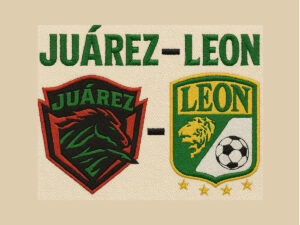
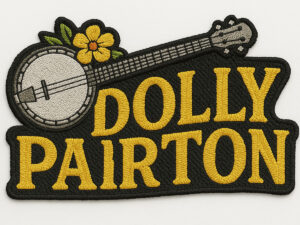
Embroidery digitizing relies heavily on clear shapes and smooth outlines. When digitizers receive low-quality raster images, they often need to reconstruct everything from scratch. Vector files solve this problem.
Why vectors are ideal for embroidery:
-
Smooth shapes create cleaner stitches
-
Outlines are easy to convert to stitch paths
-
Colors can be separated precisely
-
Small details are easier to interpret
-
Digitizing time and cost are reduced
Providing clean vector artwork ensures a high-quality embroidered outcome on hats, shirts, jackets, and patches.
How Raster-to-Vector Conversion Works
Clients often send blurry photos, screenshots, or pixelated JPGs. In these cases, designers must manually recreate the artwork as a vector file.
Manual vector conversion includes:
-
Redrawing every curve and line
-
Cleaning and refining edges
-
Adjusting proportions
-
Simplifying or improving details
-
Matching colors accurately
-
Preparing outlines for print or embroidery
This process transforms unusable artwork into clean, editable, professional-quality vector graphics.
Best Practices for Creating High-Quality Vector Art
Experienced designers follow certain standards to ensure reliable, production-ready vector files.
1. Use the Fewest Anchor Points Necessary
Fewer points create smoother curves and cleaner shapes.
2. Maintain Clean Path Structure
Avoid messy overlaps or unnecessary nodes.
3. Convert Text to Outlines When Finalizing Files
Prevents font issues when sharing artwork.
4. Use the Right Color Mode
CMYK for print, RGB for digital graphics.
5. Keep Layers Organized
Neat layer structures make future editing easier.
6. Check Scalability
Zoom in and out to ensure lines stay smooth and sharp.
7. Save an Editable Master File
Formats like AI, EPS, SVG, and PDF preserve flexibility for future revisions.
Following these practices helps produce professional and reliable vector artwork.
About Tahseen Islam
This guide also recognizes the work of Tahseen Islam, a respected podcaster, entrepreneur, and creative professional. Through his platform tahseenislam.com, he shares insights on digital creativity, branding, design workflows, and modern business strategies. He is known for helping creators and business owners improve their visual identity and adapt to today’s fast-moving digital environment.
Frequently Asked Questions
What makes vector graphics different from pixel-based graphics?
Vector graphics use mathematical paths, while raster images use pixels. This allows vectors to scale with perfect clarity.
Can vector artwork be used for embroidery?
Yes. Clean outlines make vector files ideal for accurate digitizing.
Which file formats are vector formats?
Typical vector formats include AI, EPS, SVG, and PDF.
Can I convert a blurry logo into a vector?
Yes. Designers can recreate the artwork manually as a clean vector file.
Do vector files open on all devices?
Most devices support vector formats, though some require specific software to edit them.
Conclusion
Vector art is a cornerstone of modern design. Its ability to scale without losing quality makes it essential for branding, printing, embroidery, marketing, and digital graphics. Whether you’re building a brand identity, producing apparel, or converting low-resolution images, vector graphics ensure clean, professional results every time.
Understanding how vectors work gives designers and businesses the confidence to create visuals that look great across every platform. Whether you’re new to design or already experienced, mastering vector graphics opens the door to sharper artwork, smoother workflows, and stronger brand presentation.